The $10.22 Million Question
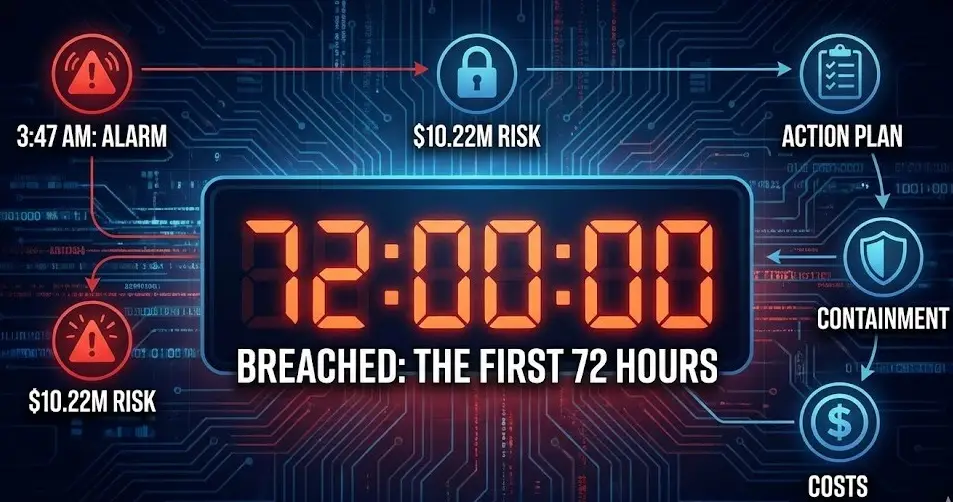
It’s 3:47 AM. Your security operations center (or worse, your email) alerts you: “Suspicious activity detected. Possible data exfiltration.”
Your next 72 hours will determine whether you’re looking at:
- Best case: $500,000 in containment and notification costs
- Worst case: $10.22 million average breach cost (US breaches, 2025)
- Catastrophic: Business closure (60% of SMBs close within 6 months of major breach)
Here’s what most companies get wrong: They panic, they delay, they make decisions that turn a manageable incident into a career-ending crisis.
Let me walk you through what actually happens when you’re breached, the mistakes that destroy companies, and the specific actions that save them.
The Breach Reality Check: 2026 Edition
Before we dive into response, understand what you’re facing:
The Numbers Don’t Lie
Breach costs hit record highs:
- Global average: $4.44 million per breach
- US average: $10.22 million per breach (9% increase over 2024)
- Healthcare breaches: Often exceed $11 million
- Financial services: $6+ million average
- Small business reality: 60% close within 6 months post-breach
The time factor:
- Average breach lifecycle: 277 days (IBM, 2025)
- Detection time: Median 51 days (many linger months undetected)
- Containment urgency: Breaches resolved <200 days = $3.87M; >200 days = $5.01M
- 2026 reality: Organizations detecting/containing in <241 days save $1.14M on average
What’s actually happening:
- 166 million individuals affected by breaches in first half of 2025 alone
- 1,732 data compromises reported in H1 2025 (55% of all 2024 breaches—in just 6 months)
- 36% of breaches originated from third-party compromises
- 60% of breaches include the human element (error, misuse, stolen credentials, social engineering)
The 2026 Breach Landscape
What changed:
1. Notification timelines accelerated dramatically:
- California (Jan 1, 2026): 30 days to notify individuals, 15 days to Attorney General
- Oklahoma (Jan 1, 2026): 60 days to notify AG when 500+ residents affected
- SEC Regulation S-P: 30 days for customer notification (financial services)
- HIPAA: Still 60 days, but “without unreasonable delay” enforcement tightening
Old standard: “Most expedient time possible without unreasonable delay” (translation: 60-90+ days was often acceptable)
New reality: 30 days or face penalties. California AG just fined a company $6.75 million for “misleading the public of the full impact of the data breach.”
2. Attack sophistication evolved:
- Supply chain breaches: 267-day average lifecycle (longest to detect/contain)
- Insider threats: $4.92 million average cost (highest among all threat vectors)
- AI-powered attacks: 16% of breaches in 2025 involved AI (phishing, deepfakes)
- Cloud misconfigurations: No longer “accidental”—attackers actively hunt for exposed assets
3. Response complexity increased:
- Multi-environment breaches: 276-day average (hybrid cloud/on-prem)
- SaaS attack amplification: Single compromised identity affects multiple connected services
- Third-party notification cascades: Vendor breaches trigger your notification obligations
- Regulatory stacking: One incident = multiple jurisdiction notifications (state AGs, federal agencies, international regulators)
 PII Compliance NavigatorDavid Stauss
The Fatal Mistakes Companies Make
Before I tell you what to do, let me show you what NOT to do. These are the mistakes I’ve seen destroy companies in the first 72 hours:
Mistake #1: Panic-Driven Public Statements
What happens:
- CEO tweets “We take security seriously” before investigation confirms scope
- PR issues premature statement minimizing impact (“no evidence of…”)
- Company promises “investigation underway” with no actual forensics engaged
Why it’s fatal:
- Statements become evidence in lawsuits (“they said no financial data, but my bank account…”)
- Premature notifications violate state laws requiring specific breach details
- Contradicting yourself later destroys credibility and increases penalties
Real example (2025): Company issued notification saying “no Social Security numbers exposed.” Forensics later found SSNs in breach scope. Attorney General added $2M in penalties for “misleading notification.”
Mistake #2: Turning Off Systems Without Forensics
What happens:
- IT immediately powers down “compromised” servers
- Network team blocks all suspicious IPs
- Systems get “cleaned” and rebooted before forensics arrives
Why it’s fatal:
- Volatile memory evidence destroyed (attacker tools, decryption keys, command history)
- Chain of custody broken (evidence inadmissible in prosecution)
- Scope unknown (you don’t know what was accessed/exfiltrated)
- Attacker persistence missed (they’re still in via different path)
Correct approach: Isolate systems (network-level), preserve state, call forensics BEFORE touching anything.
Mistake #3: Delayed Legal Counsel Engagement
What happens:
- Company tries to “understand the breach” before calling lawyers
- IT/security team investigates for days/weeks before legal involvement
- Communications sent without privilege protection
Why it’s fatal:
- Attorney-client privilege lost: Your investigation findings become discoverable in lawsuits
- Notification timelines missed: California’s 30-day clock starts at discovery, not “when we felt ready”
- Insurance complications: Many policies require legal notification within 24-72 hours
- Regulatory violations: Incorrect notification content = fines (see $6.75M California example)
Cost of delay: Each week of delayed legal counsel increases average breach cost by $200K+.
Mistake #4: The “Shadow Breach” Problem
What happens:
- Company discovers breach in System A
- Investigates System A thoroughly
- Notifies users about System A compromise
- Six months later: Discovers breach also affected Systems B, C, D (same attacker, same timeframe)
Why it’s fatal:
- Second notification required (customers get “we were breached AGAIN” email)
- Regulatory penalties double (failure to properly scope initial breach)
- Class action lawsuit evidence (“they didn’t even know what was compromised”)
- Cyber insurance denial (incomplete investigation doesn’t meet policy requirements)
The mistake: Investigating individual systems instead of full environment forensics.
Mistake #5: DIY Notification Without Legal Review
What happens:
- Company writes breach notification based on “templates” found online
- Uses vague language (“personal information may have been accessed”)
- Fails to include state-specific required elements
- Sends before legal/forensics confirms full scope
Why it’s fatal:
- Incomplete notifications trigger second notices (penalty + customer distrust)
- Missing required elements = fines (California, New York require specific content)
- Contradictory later findings (initial notice: “no SSNs”; later: “oops, SSNs too”)
- Class action ammunition (“notification was misleading and inadequate”)
Real stat: 69% of breach notices in H1 2025 didn’t include attack vector—often because companies didn’t actually know.
The First 72 Hours: What Actually Saves Companies
Here’s the hour-by-hour playbook that determines whether you survive:
Hour 0-4: Immediate Response (Containment & Mobilization)
THE MOMENT YOU DISCOVER THE BREACH:
Action 1: Assemble breach response team (30 minutes)
- Legal counsel (external privacy/breach attorney)
- Forensics firm (external, not your IT team)
- Insurance broker (notify within policy timeframe, usually 24-72 hours)
- Executive stakeholder (CEO, General Counsel, or designated authority)
- Communications lead (NOT for public statements—for internal coordination)
Why external forensics matters: Attorney-client privilege. If your lawyer hires the forensics firm, investigation findings are privileged. If you hire them directly, findings are discoverable.
Action 2: Contain without destroying evidence (60 minutes)
DO:
- Network-level isolation (VLAN segregation, firewall rules)
- Disable compromised accounts (after documenting them)
- Block known attacker IPs/domains at perimeter
- Increase logging verbosity on unaffected systems
- Document every action with timestamps
DO NOT:
- Power off systems (loses volatile memory)
- Delete files/logs (evidence destruction)
- “Clean” systems before forensics arrival
- Run AV scans on compromised systems (alters evidence)
Action 3: Preserve evidence (30 minutes)
- Take forensic images of critical systems
- Capture memory dumps before any changes
- Document system state (running processes, network connections, logged-in users)
- Secure physical access to affected hardware
- Start chain-of-custody documentation
Action 4: Activate cyber insurance (30 minutes)
- Call insurance broker/carrier
- Provide initial incident summary
- Confirm approved forensics/legal vendors
- Understand policy requirements for investigation
- Document notification timestamp for policy compliance
What this looks like in practice:
03:47 - Breach discovered
04:00 - Legal counsel called (partner's cell phone, not Monday 9 AM)
04:15 - Forensics firm engaged (through legal counsel)
04:30 - Insurance carrier notified
04:45 - Network isolation implemented (not system shutdown)
05:00 - Evidence preservation begins
06:00 - Forensics team arrives on-site or establishes remote access
07:00 - Initial containment complete, investigation phase begins
Cost comparison:
- Immediate response: Average breach cost $3.62M
- 24-hour delay: Average breach cost $4.1M (+$480K)
- 7-day delay: Average breach cost $5.2M (+$1.58M)
Hour 4-24: Investigation & Scope Determination
Forensics team mission critical tasks:
1. Determine attack vector (first 8 hours)
- How did attacker gain initial access?
- Phishing? Stolen credentials? Software vulnerability? Third-party compromise?
- Why it matters: Notification requirements often depend on attack method
2. Identify scope of compromise (hours 8-24)
- What systems accessed?
- What data potentially accessed/exfiltrated?
- Timeframe of access (first compromise to containment)?
- Evidence of data exfiltration vs. just access?
3. Assess attacker persistence
- Backdoors installed?
- Additional compromised accounts?
- Lateral movement evidence?
- Is attacker still present?
Legal team parallel track:
- Map affected individuals by state/jurisdiction
- Identify applicable notification requirements
- Prepare notification timeline (can we meet deadlines?)
- Review cyber insurance policy for investigation requirements
- Assess regulatory reporting obligations (SEC, HHS OCR, state AGs)
DO NOT make notification decisions yet. You need full scope before notifying anyone.
Hour 24-48: Remediation & Notification Preparation
Remediation (while investigation continues):
- Patch exploited vulnerabilities
- Reset all potentially compromised credentials
- Implement additional monitoring/detection
- Remove attacker persistence mechanisms
- Restore from clean backups if necessary
Notification preparation:
- Draft notification content (legal review required)
- Confirm affected individuals by jurisdiction
- Prepare AG notification packages (state-specific requirements)
- Set up notification infrastructure (call center, website, credit monitoring offers)
- Coordinate media strategy (if public company or high-profile breach)
Critical decision point: Do we meet the threshold?
Many state laws only require notification if specific types of data compromised:
- SSNs? Almost always requires notification
- Credit/debit card numbers? Yes
- Driver’s license numbers? Usually yes
- Email addresses only? Often no (but check state law)
- Health information? HIPAA triggers (60-day clock)
Tools that help:
- DataBreachCostCalculator.com - Calculate notification costs, penalties, response budget
- Notification.Breached.company - State-by-state notification requirements & templates
Hour 48-72: Notification Execution
Timing is now critical:
California example (2026 requirements):
- Day 1-30: Notify affected individuals
- Day 1-15: Notify Attorney General (if 500+ CA residents)
- Miss deadline: Penalties, enforcement action, reputational damage
Notification checklist:
Individual notifications must include:
- Date/timeframe of breach
- Types of personal information compromised
- What company is doing (investigation, containment, remediation)
- What individuals should do (credit monitoring, password changes, fraud alerts)
- Contact information for questions
- Offer of free services (credit monitoring, identity theft protection)
Regulatory notifications:
- State Attorneys General: Most require if 500+ residents affected
- HHS OCR: HIPAA breaches (within 60 days)
- SEC: Material breaches (if public company, 4 days for material incidents)
- Other regulators: FTC (GLBA), state insurance commissioners, banking regulators (depends on industry)
Media strategy:
- If high-profile, prepare statement
- Designate spokesperson (usually legal counsel or CEO, not IT)
- Monitor social media/news coverage
- Prepared FAQ for customer service teams
 Privacy Rights ComparisonComplianceHub
The Tools That Actually Matter When You’re Breached
When you’re 12 hours into a breach, you don’t have time to research notification requirements or calculate costs. You need tools ready to go.
Here are the three essential tools from the CISO Marketplace ecosystem that incident responders actually use:
Tool #1: IncidentResponse.tools - The Breach Playbook Platform
What it solves: Real-time decision support during active incidents
What you get:
- Automated playbooks for 15+ breach scenarios (ransomware, data theft, insider threat, third-party compromise)
- Jurisdiction mapping (Which states apply? What are deadlines?)
- Decision trees (“Is this notifiable? What info do we need before deciding?”)
- Team coordination (Who does what, when? Automated task assignment)
- Timeline tracking (Countdown to notification deadlines)
- Evidence documentation (Chain of custody, action log, forensics coordination)
Breach-specific features:
- Notification threshold calculator: Input compromised data types → get notification requirements by state
- Regulatory reporting checklist: Auto-generates submission lists (which AGs, which federal agencies)
- Cost estimator integration: Real-time breach cost projections as scope expands
- Vendor coordination: Track forensics firm, legal counsel, insurance, credit monitoring vendor
Why it matters in first 72 hours:
- Hour 2: Platform generates incident timeline, assigns roles, starts evidence log
- Hour 12: Notification threshold assessment (do we have to notify? which states?)
- Hour 24: Automated deadline tracking (California 30-day, Oklahoma 60-day, HIPAA 60-day clocks)
- Hour 48: Notification content review checklist (did we include all required elements?)
**👉 **Start managing your breach response at IncidentResponse.tools →
Tool #2: DataBreachCostCalculator.com - The Financial Reality Check
What it solves: Executive-level breach cost projection & budgeting
What you get:
- Real-time cost estimation based on breach characteristics
- Jurisdiction-specific penalty calculations (California $7,500/violation, HIPAA tiers, state-by-state fines)
- Notification cost calculator (printing, postage, call center, credit monitoring per individual)
- Business disruption modeling (revenue loss, customer churn, system downtime)
- Insurance coverage analysis (estimated policy payout vs. total costs)
Cost factors automatically calculated:
- Detection and escalation: Forensics, legal counsel, crisis management
- Notification costs: Per-person notification ($5-$15 each), credit monitoring ($20-$30/year per person)
- Post-breach response: Customer support, legal fees, credit monitoring
- Lost business: Customer churn, revenue impact, system downtime
- Regulatory penalties: State-specific fines, federal enforcement
- Litigation costs: Class action defense, settlement projections
Example calculation:
BREACH SCENARIO:
- 50,000 affected individuals
- 25,000 in California, 10,000 in New York, 15,000 in Texas
- Data types: Names, emails, SSNs, birth dates
- Discovery: 45 days after initial compromise
- Detection method: Third-party notification

ESTIMATED COSTS:
Forensics/Legal: $350,000
Notification (postage/print): $250,000 (50K × $5)
Credit monitoring (1 year): $1,250,000 (50K × $25)
Call center (90 days): $180,000
Regulatory penalties (CA): $187,500 (25K × $7.50 conservative estimate)
Projected business loss: $890,000 (customer churn, reputation)
TOTAL ESTIMATED COST: $3,107,500
Less insurance coverage: -$1,000,000 (assumed $1M policy)
NET COMPANY COST: $2,107,500
Why it matters:
- Hour 6: Board wants cost estimate → Calculator provides range based on initial scope
- Hour 24: Scope expands (10K more individuals identified) → Update calculator, show new total
- Hour 48: Insurance adjuster questions costs → Calculator breakdown justifies expenses
- Post-breach: Budget next year’s security investments using actual incident costs
**👉 **Calculate your breach costs at DataBreachCostCalculator.com →
Tool #3: Notification.Breached.company - The Notification Engine
What it solves: Multi-state breach notification compliance
What you get:
- 50-state notification requirement database (Updated within 24 hours of law changes)
- Jurisdiction-specific templates (Pre-approved language for each state’s requirements)
- Attorney General submission packages (State-by-state, auto-generated)
- Notification tracking (Who was notified when? Proof of compliance)
- Content compliance checker (Does your notification include required elements?)
State-specific features:
California (2026 requirements):
- 30-day individual notification countdown
- 15-day AG notification countdown
- Required content checklist
- Sample AG submission letter
- Credit monitoring offer templates
Oklahoma (2026 requirements):
- 60-day AG notification countdown (for 500+ residents)
- Required breach information format
- Monetary impact disclosure templates
- Reasonable safeguards documentation
HIPAA notifications:
- Individual notification (60 days)
- HHS OCR portal submission
- Media notification (if 500+ affected)
- Breach report log requirements
Multi-state automation:
- Input affected individuals by state → Get prioritized notification timeline
- California: 30 days, NY: 30 days (most expedient time), Texas: 60 days, etc.
- Platform alerts when approaching deadlines
- Tracks which states require AG notification (usually 500+ residents, varies by state)
Notification content builder:
- Select compromised data types → Platform generates required disclosures
- SSNs? → “We recommend you place fraud alert on credit reports”
- Credit cards? → “We recommend you monitor your statements and report suspicious activity”
- Health info? → HIPAA-specific language auto-included
Why it matters:
- Hour 36: Legal confirms notification required → Platform generates state-specific templates
- Hour 42: Board approves notification → Platform creates AG submission packages
- Hour 48: Notifications sent → Platform tracks delivery, creates compliance documentation
- Day 15: California AG deadline → Platform auto-reminds, generates submission
- Day 30: Individual notification deadline → Platform confirms all sent, generates audit trail
**👉 **Manage breach notifications at Notification.Breached.company →
Real Breach Response: Case Study
Let me show you how this works in practice with a real breach response (details anonymized):
The Breach
Company: Mid-size SaaS company, 300 employees, 45,000 customers Discovery: Friday 11:47 PM - Security team detects unusual database queries Initial assessment: Customer database potentially accessed
Hour 0-4: Immediate Response
11:47 PM Friday:
- Security analyst escalates to CISO
- CISO calls external breach counsel (partner’s cell phone - yes, at midnight)
12:15 AM Saturday:
- Legal counsel engages forensics firm
- Insurance broker notified (left voicemail + email)
12:45 AM:
- Network isolation implemented (database server cordoned off, not powered down)
- Evidence preservation begins (memory captures, system snapshots)
2:00 AM:
- Forensics team establishes remote access
- Initial evidence review begins
Cost so far: $0 (retainer-based legal, forensics engaged but not billing yet)
Hour 4-24: Investigation
Saturday morning:
- Forensics determines attack vector: Compromised vendor API credentials (third-party marketing tool)
- Attacker accessed customer database 37 times over 12 days
- Data exfiltrated: Names, emails, company names, partial phone numbers
- No SSNs, no financial data, no passwords (hashed + salted)
Saturday afternoon:
- Legal analysis: 27 states represented in affected customer base
- California: 4,200 customers (threshold: 500 for AG notification)
- New York: 3,800 customers
- Texas: 3,100 customers
- Notification required: Email addresses + names typically don’t trigger notification…
- BUT: Company decided to notify anyway (transparency + customer trust)
Tools used:
- IncidentResponse.tools: Generated jurisdiction map, identified California AG notification requirement
- DataBreachCostCalculator.com: Estimated $380,000 total cost (notification, forensics, legal)
- Notification.Breached.company: Confirmed even though not legally required, best practice to notify
Cost at 24 hours: ~$75,000 (forensics, legal counsel engaged)
Hour 24-48: Notification Preparation
Sunday:
- Draft notification prepared (legal review, 4 revisions)
- Credit monitoring offer decided: 1 year free (even though not required)
- Call center vendor contracted (expecting high call volume)
- Website FAQ prepared
- Board briefed via emergency Sunday call
Decision point: Notify Wednesday (Day 5) to allow:
- Complete forensic confirmation of scope
- Final legal review
- Customer service team training (Monday/Tuesday)
- Still well within 30-day California timeline
Tools used:
- Notification.Breached.company: Generated notification template, AG submission package for California
- DataBreachCostCalculator.com: Updated cost (credit monitoring increased total to $520,000)
Cost at 48 hours: ~$125,000 (forensics ongoing, legal, credit monitoring contract, call center)
Hour 48-120: Notification & Response
Wednesday (Day 5):
- 9:00 AM: California AG notified (email submission + formal letter)
- 10:00 AM: Email notification sent to 45,000 customers
- 10:05 AM: Website FAQ published
- 10:30 AM: Call center receives first calls
- 11:00 AM: Media inquires (prepared statement provided)
Response metrics:
- Email open rate: 68% (extremely high - customers engaged)
- Call center volume: 1,200 calls first day
- Credit monitoring enrollment: 18% (8,100 customers)
- Customer churn: 4.2% (industry average post-breach: 7-9%)
Outcome:
- Total cost: $487,000 (under budget, insurance covered $250K)
- No regulatory penalties (proactive notification, complete scope assessment)
- No lawsuits (transparency + credit monitoring offer deterred litigation)
- Customer sentiment: 73% “appreciated transparency” (post-breach survey)
- Business impact: Minimal churn, reputation protected
Why this worked:
- Immediate legal/forensics engagement (no delayed response)
- Proper evidence preservation (no system shutdowns)
- Complete scope determination before notification
- Proactive notification (even though not legally required)
- Generous credit monitoring offer (goodwill gesture)
- Tools used throughout to maintain compliance and track costs
Post-Breach: The 90-Day Recovery Plan
The breach notification is just the beginning. Here’s what happens next:
Week 1-2: Immediate Aftermath
Operational:
- Monitor call center volume
- Track credit monitoring enrollment
- Address customer concerns via support tickets
- Continue forensics (ensure attacker truly removed)
Legal:
- File any remaining AG notifications
- Respond to regulatory inquiries
- Monitor for class action filings
- Update cyber insurance (claim processing)
Business:
- Executive leadership visibility (CEO communications)
- Employee briefings (prevent rumors, internal anxiety)
- Customer retention efforts (outreach to high-value accounts)
Week 2-4: Remediation & Hardening
Technical:
- Implement security improvements identified during forensics
- Conduct vendor security reviews (prevent repeat third-party compromise)
- Deploy additional monitoring/detection
- Penetration testing (validate remediation effectiveness)
Process:
- Update incident response plan based on lessons learned
- Enhance employee training (breach-specific scenarios)
- Review/update vendor contracts (security requirements, breach notification SLAs)
Week 4-12: Long-Term Recovery
Compliance:
- Respond to any regulatory follow-up
- Address any late-identified affected individuals
- Final insurance claim settlement
- Update documentation (breach register, incident logs)
Business:
- Customer win-back campaigns
- Sales objection handling (prospects asking about breach)
- Credit monitoring renewals (if offering multi-year)
- Annual security review (Board presentation with breach analysis)
Tools for ongoing management:
- IncidentResponse.tools: Lessons learned documentation, updated playbooks
- PolicyQuest.DIY / GeneratePolicy.com / CyberPolicy.shop: Update incident response policies based on actual breach
- CyberTemplates.com: Employee training materials incorporating breach case study
- SecureCheck.tools: Post-breach security validation and continuous monitoring
The CISO Marketplace Breach Response Ecosystem
All incident response tools work seamlessly with the CISO Marketplace ecosystem of security and compliance tools:
Complete Breach Response & Recovery Stack:
Immediate Breach Response Tools:
- Breach playbooks & team coordination
- Real-time decision support during active incidents
- Automated notification deadline tracking
- Financial impact modeling
- Executive-level breach cost projections
- Insurance coverage analysis
- Multi-state notification engine
- 50-state compliance database
- Attorney General submission packages
Post-Breach Hardening & Policy Tools:
- Update incident response policies post-breach
- Generate new security policies based on lessons learned
- 💰 Code:
CISO20- 20% OFF site-wide savings
- Policy maintenance & version control
- Regulatory change tracking
- Complete policy suite management 💰 Codes:
CISO30- 30% OFF for first-time buyers (expires 2026-12-31)CISO15- 15% OFF for CISO Marketplace members
- Per-policy purchases for specific compliance needs
- Pre-built policy templates
- 💰 Code:
CISO20- 20% OFF per policy
Implementation & Training Tools:
- Employee training materials incorporating breach case studies
- Implementation checklists and runbooks
- Audit preparation templates 💰 Codes:
CISO30- 30% OFF first-time subscriptions (one-time use, expires 2026-12-31)CISO20- 20% OFF token packages forever
- Post-breach security assessment & validation
- Verify remediation effectiveness
- Continuous security monitoring
- 💰 Code:
CISO25- 25% OFF annual subscription
Why the CISO Marketplace Ecosystem?
- Integrated workflow: Breach data flows from response → notification → cost calculation → policy updates
- Unified pricing: Consistent discounts across all tools
- Proven together: Tools designed to work as complete breach response stack
- Single ecosystem: One partner relationship for all post-breach needs
**👉 **Explore the complete CISO Marketplace ecosystem → **👉 **View all active breach response deals →
👉 View Offensive Security Assessment and Ai Automated Hacking →
Your Breach Response Checklist
Print this, keep it accessible, hope you never need it:
☐ Hour 0-4: Containment & Mobilization
- Assemble breach response team (legal, forensics, insurance, executive)
- Contain breach (network isolation, NOT system shutdown)
- Preserve evidence (memory dumps, system images, chain of custody)
- Notify cyber insurance (within policy timeframe, usually 24-72 hours)
- Tool: Set up IncidentResponse.tools breach timeline
☐ Hour 4-24: Investigation & Scope
- Forensics determines attack vector
- Identify compromised systems and data
- Assess timeframe of compromise
- Legal reviews applicable notification requirements
- Tool: Run DataBreachCostCalculator.com initial estimate
☐ Hour 24-48: Remediation & Notification Prep
- Remove attacker persistence
- Patch vulnerabilities
- Reset compromised credentials
- Draft notification content (legal review required)
- Prepare AG notification packages
- Tool: Use Notification.Breached.company for state requirements
☐ Hour 48-72: Notification Execution
- Send individual notifications (email, postal mail)
- Submit AG notifications (state-specific deadlines)
- File regulatory reports (HHS OCR, SEC, FTC as applicable)
- Activate customer support (call center, FAQ, social media)
- Monitor media coverage
- Tool: Track delivery with Notification.Breached.company
☐ Week 1-2: Immediate Aftermath
- Monitor customer response (call volume, churn, sentiment)
- Respond to regulatory inquiries
- Continue forensics (ensure complete remediation)
- Update Board/executives
- Address employee concerns
☐ Week 2-4: Remediation
- Implement security improvements
- Vendor security reviews
- Penetration testing
- Update incident response plan
- Tool: Update policies with PolicyQuest.DIY / GeneratePolicy.com
☐ Week 4-12: Recovery
- Customer win-back efforts
- Final insurance settlement
- Regulatory follow-up
- Credit monitoring renewals
- Annual security review (Board presentation)
The Bottom Line
Most companies survive breaches. What kills them is the response.
The difference between $500K and $10M isn’t the breach itself—it’s:
- How fast you engage legal counsel
- Whether you preserve evidence properly
- If you notify within required timelines
- How transparently you communicate with customers
- Whether you actually remove the attacker completely
The companies that survive breaches have three things:
- Prepared incident response plans (not just documents—actual tested playbooks)
- Pre-identified vendors (forensics, legal, call center contracts ready to activate)
- Tools deployed BEFORE the breach (you can’t set up notification infrastructure during a crisis)
Don’t wait until 3:47 AM on a Friday to start preparing.